
Zenora IPTV is attracting attention among people searching for internet-based television, live channels, sports, movies, and on-demand entertainment. The service’s websites advertise large channel libraries, 4K streaming, multiple device options, electronic program guides, and several subscription plans. But how much of that information can a potential customer verify before subscribing?
This Zenora IPTV review takes a closer look at the service’s publicly advertised features, pricing, supported devices, setup process, streaming quality, safety considerations, legal questions, customer feedback, and alternatives. It also separates provider claims from facts that can be independently established.
At the time of research, Zenora-related websites advertise different figures. One Zenora site promotes 55,000+ live channels and 160,000+ VOD titles, while another promotes 60,000+ channels and a third advertises 61,000+ live channels and 180,000+ VOD titles. These differences are important because they show that readers should check the exact website, package, and current terms before purchasing.
The article below therefore does not treat marketing claims as guaranteed results. Instead, it provides a practical guide to understanding what Zenora IPTV offers, what should be verified, and what consumers should consider before making a decision.
What Is Zenora IPTV?
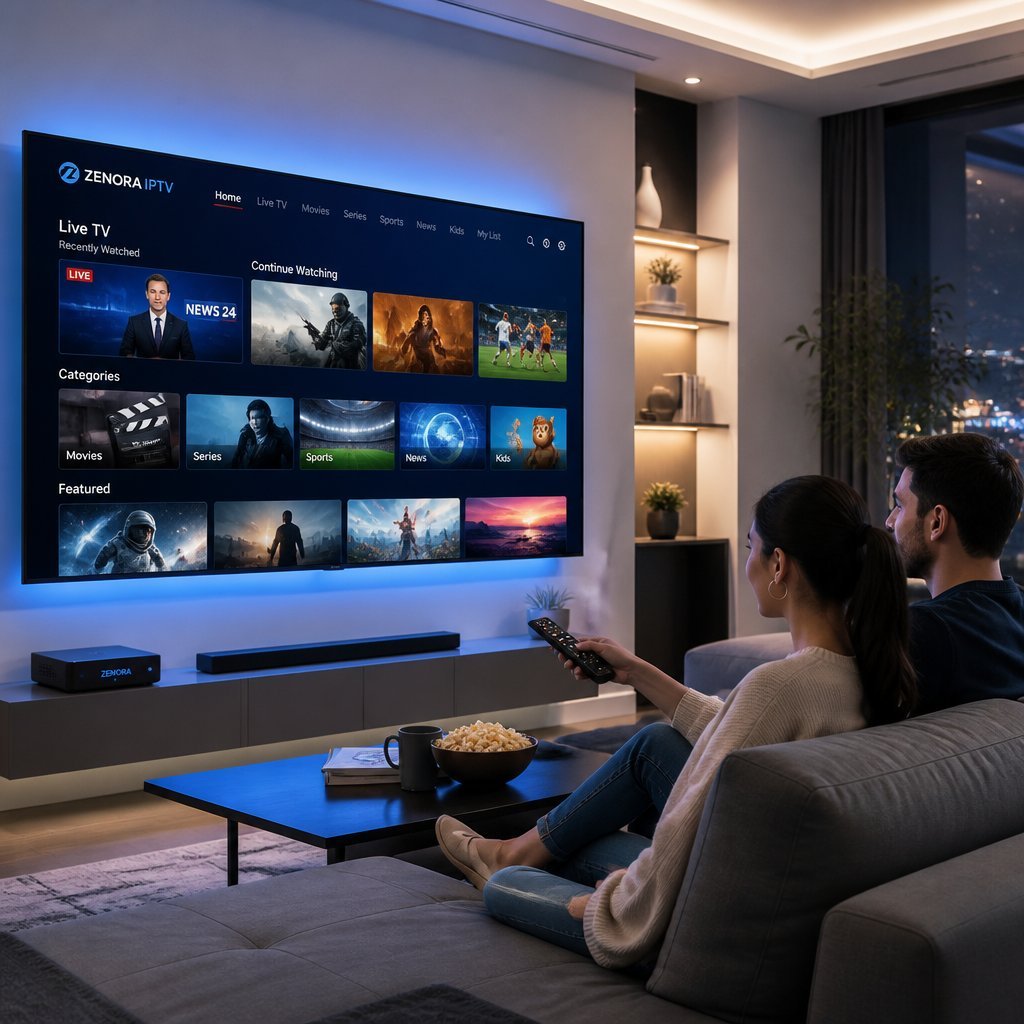
Zenora IPTV is marketed online as an IPTV streaming service providing access to live television and video-on-demand programming through an internet connection.
IPTV stands for Internet Protocol Television. Unlike traditional terrestrial television, cable, or satellite broadcasting, IPTV uses internet-based networks to deliver video data to compatible devices.
The technology itself is neither inherently good nor bad. IPTV is simply a method of delivering television content.
The more important question is how a particular provider obtains and distributes that content.
Zenora’s websites market the service around large live-channel libraries, movies, television series, sports coverage, HD/FHD/4K streaming, electronic program guides, and compatibility with multiple devices.
However, potential subscribers should distinguish between:
- IPTV technology
- An IPTV provider
- An IPTV application
- An IPTV player
- A content license
These are not the same thing.
An IPTV player is software that can display compatible streams. It does not automatically provide legal rights to the television channels or movies being displayed.
Likewise, the fact that a provider advertises a large channel library does not by itself establish that every piece of content is properly licensed.
That is why content rights and provider transparency should be part of any Zenora IPTV evaluation.
How Does Zenora IPTV Work?
The basic IPTV model is relatively simple.
A provider makes video streams available through internet infrastructure. A customer connects using a compatible device and application, and the video is transmitted over the internet.
A typical setup may involve:
- An IPTV provider.
- A subscription or authorized account.
- An internet connection.
- A compatible television or streaming device.
- An IPTV application or player.
- A streaming source.
- An electronic program guide where supported.
The actual technical infrastructure behind Zenora IPTV is not independently documented in enough detail to confirm specific server locations, CDN providers, protocols, or network architecture.
Zenora’s websites do make infrastructure-related claims. For example, one site describes an “advanced streaming infrastructure,” global CDN access, and 99.9% uptime. These should be understood as provider claims rather than independently measured performance results.
This distinction matters because streaming performance depends on several factors beyond the provider’s infrastructure.
A viewer’s experience can be affected by:
- Internet bandwidth
- Wi-Fi quality
- Ethernet availability
- Device hardware
- Network congestion
- Video bitrate
- Stream source
- Geographic routing
- ISP performance
- Server capacity
Therefore, even if a provider advertises 4K or “buffer-free” streaming, actual performance can vary from one household to another.
Zenora IPTV Features
Zenora IPTV’s websites advertise a broad collection of features intended to make the service function as an all-in-one streaming platform.
Among the advertised features are:
- Live television
- Movies
- TV series
- Video on demand
- Sports programming
- HD streaming
- Full HD streaming
- 4K streaming
- EPG television guide
- Multiple device plans
- Catch-up TV on certain plans
- Customer support
- International availability
Zenora’s pricing page currently lists HD/FHD/4K streaming, movies and series, EPG, anti-freeze technology, and customer support as included features across its listed plans.
Another Zenora website advertises 61,000+ live channels, 180,000+ VOD titles, sports coverage, multi-device compatibility, and 24/7 support.
These are useful indicators of what the provider is trying to offer, but they should not be interpreted as independently verified measurements.
Live TV
Live television is one of the central selling points of Zenora IPTV.
The provider advertises a very large number of live channels covering sports, entertainment, news, and international programming.
A large channel count may sound impressive, but channel quantity alone is not enough to determine whether a service is useful.
For example, someone primarily interested in French television may care more about the availability and reliability of particular French channels than whether a provider advertises tens of thousands of channels worldwide.
Before subscribing, identify the channels you actually need and verify their current availability.
Video on Demand
Zenora also advertises a substantial VOD library.
One Zenora website currently states that it offers 180,000+ movies and series, while another lists 160,000+ VOD and TV-show titles.
Again, the different figures mean customers should check the current package rather than relying on a headline number.
For VOD users, useful questions include:
- How frequently is the library updated?
- Are subtitles available?
- Is content properly categorized?
- Are movies available in the advertised resolution?
- How quickly do titles load?
- Are regional restrictions applied?
- What rights does the provider have to distribute the content?
Electronic Program Guide
An Electronic Program Guide, or EPG, organizes scheduled television programming.
Zenora’s pricing page lists an EPG TV Guide among its advertised features.
A well-maintained EPG can make a large IPTV library much easier to navigate.
However, EPG accuracy can vary by channel and region, so users should evaluate it during any legitimate trial or testing period where available.
Sports Coverage
Sports are another major part of Zenora’s marketing.
The provider advertises sports categories including football, basketball, tennis, racing, and major sporting events.
Sports programming deserves particular attention because broadcasting rights are frequently divided by country and competition.
A website claiming to carry a sporting event is not itself proof that it has the appropriate rights to distribute that event.
Consumers should verify that the content they intend to watch is offered through an authorized source in their region.
Zenora IPTV Channels
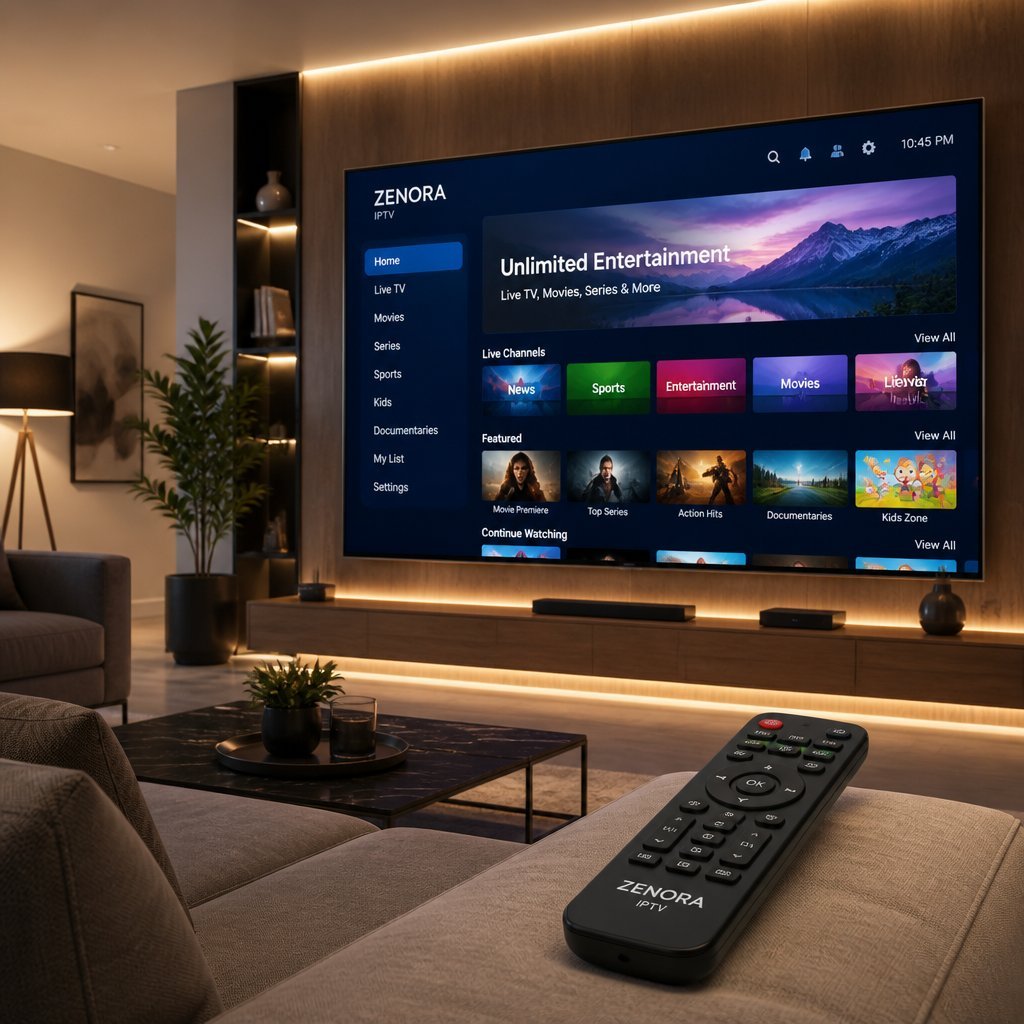
One of the most searched topics around Zenora IPTV is the channel lineup.
The challenge is that Zenora’s own websites currently publish different channel figures.
One website advertises:
55,000+ live channels and 160,000+ VOD titles.
Another advertises:
60,000+ live channels.
A third Zenora website advertises:
61,000+ live channels and 180,000+ VOD titles.
Because these figures differ, readers should not assume that a single channel count represents every Zenora subscription.
Instead, verify the specific package and current channel list before paying.
What Channel Categories May Matter?
Depending on the package and region, users may be interested in:
- News
- Sports
- Movies
- Entertainment
- Kids
- Documentary
- Music
- International
- Local television
- Lifestyle
- Business
- Cultural programming
But a category being advertised does not mean every desired channel is guaranteed.
If a specific channel is important to you, verify it individually.
Why Channel Counts Can Be Misleading
Large IPTV channel numbers can include:
- Multiple regional feeds
- Different language versions
- Duplicate streams
- SD and HD versions
- Regional variations
- Temporary or inactive streams
For this reason, a smaller verified channel selection may sometimes be more useful than an enormous advertised number.
The best way to evaluate Zenora IPTV is therefore not simply to ask how many channels it has, but whether the service consistently provides the content that matters to you and does so through properly authorized distribution.
Zenora IPTV Pricing & Subscription Plans
Zenora currently advertises several pricing structures across its websites.
One pricing page lists the following plans:
| Devices | 1 Month | 3 Months | 6 Months | 12 Months |
|---|---|---|---|---|
| 1 Device | $14 | $40 | $50 | $70 |
| 2 Devices | $30 | $50 | $80 | $110 |
| 3 Devices | $40 | $70 | $110 | $170 |
| 4 Devices | $50 | $100 | $150 | — |
These prices are displayed on Zenora’s current pricing page and may change over time.
Another Zenora website currently displays a different set of promotional prices, including $14 for one month, $36 for three months, $47 for six months, and $69 for twelve months for one device.
A separate Zenora site lists $19.99 for one month, $39.99 for three months, $49.99 for six months, and $79.99 for twelve months for its one-connection plans.
Why Are the Prices Different?
The different pricing pages appear to represent different Zenora-branded websites or offers.
This is something potential customers should pay attention to.
Before purchasing, verify:
- Exact website domain
- Number of devices
- Subscription duration
- Current promotional price
- Renewal conditions
- Refund policy
- Payment method
- Support channel
Do not assume that all websites using the Zenora name are necessarily operated by the same entity.
Should You Choose a Long-Term Plan?
A long-term subscription can reduce the effective monthly cost, but it also creates greater financial exposure if the service does not meet expectations.
For an unfamiliar provider, consumers should generally understand the service, terms, refund policy, and customer support before committing to a lengthy subscription.
A cheaper annual price does not automatically mean better value.
Zenora IPTV Supported Devices
Zenora’s websites advertise broad device compatibility.
The advertised platforms include:
- Smart TVs
- Android devices
- Fire TV/streaming sticks
- iOS devices
- Windows PCs
- Mac computers
- Other streaming devices
Zenora’s main promotional website specifically lists Smart TVs, Firestick, Android, iOS, Windows PC, and Mac OS.
The service also claims compatibility with major IPTV players.
However, “compatible with Smart TVs” does not necessarily mean every Smart TV model is supported.
Operating systems differ among:
- Samsung TVs
- LG TVs
- Android TV
- Google TV
- Other Smart TV platforms
Before subscribing, confirm the exact operating system of your device.
How to Set Up Zenora IPTV
The safest setup process is to use the provider’s current documentation and legitimate application sources.
Step 1: Verify the Website
Make sure you are using the intended Zenora website.
This is particularly important because several Zenora-branded domains appear online with different prices and feature claims.
Step 2: Select Your Device
Determine whether you are using:
- Smart TV
- Android TV
- Fire TV
- Phone
- Tablet
- Windows PC
- Mac
Step 3: Use an Appropriate Application
If Zenora provides an official application, use the official source where available.
If the service requires a third-party IPTV player, verify that the application itself comes from a legitimate app store or developer.
Step 4: Enter Authorized Credentials
Use only the account information provided through your legitimate subscription.
Never provide account credentials to strangers claiming to offer technical support.
Step 5: Configure the EPG
If an EPG is included, configure it according to the provider’s current instructions.
Step 6: Test Playback
Check several types of programming.
Test:
- Live channels
- VOD
- HD content
- 4K content where available
- EPG
- Audio
- Subtitles
- Channel switching
Step 7: Evaluate Performance
Pay attention to buffering, loading time, picture quality, and stability during different periods of the day.
Do not assume that one successful stream proves universal reliability.
Do not use setup methods intended to circumvent DRM, paywalls, geo-restrictions, or copyright controls.
Zenora IPTV Streaming Quality
Zenora markets its service around HD, Full HD, and 4K quality.
Its websites also use phrases such as “without freezing,” “anti-freeze technology,” and 99.9% uptime.
These should be understood as advertising claims.
Actual streaming quality depends on many variables.
Internet Connection
Higher-resolution streams generally require more bandwidth.
If multiple people are using the same home connection, available bandwidth may be divided between streaming, gaming, video calls, downloads, and other activities.
Wi-Fi
Wi-Fi interference or weak signal strength can create buffering.
For a stationary television or streaming box, Ethernet can sometimes provide a more consistent connection.
Device Hardware
Older televisions and streaming devices may have limitations when decoding high-resolution video.
Server Conditions
Even a strong home connection cannot compensate for problems at the streaming source.
Peak Viewing Times
Large sporting events can place greater demand on streaming infrastructure.
Therefore, a service that performs well at one time may behave differently at another.
What Does 4K Actually Mean?
4K generally refers to approximately 3840 × 2160 resolution for consumer television.
But resolution is only one part of picture quality.
Other factors include:
- Bitrate
- Compression
- Original source quality
- HDR support
- Codec
- Device capability
- Network stability
A stream labeled “4K” is not automatically equivalent to a high-quality native 4K broadcast.
Zenora IPTV Pros and Cons
| Category | Potential Advantage | What to Verify |
| Channel selection | Very large advertised library | Actual current lineup |
| VOD | Large advertised movie/series catalog | Current availability |
| Video | HD/FHD/4K advertised | Real-world quality |
| Devices | Broad device support advertised | Your exact model |
| EPG | TV guide advertised | Accuracy and coverage |
| Sports | Multiple sports categories advertised | Regional rights |
| Pricing | Several subscription lengths | Current price and terms |
| Support | 24/7 support advertised | Actual response quality |
| Multi-device | Multiple plans available | Simultaneous connection limits |
| Global access | International availability advertised | Regional restrictions |
| Transparency | Multiple websites provide information | Confirm which site is authoritative |
The largest point requiring attention is the difference between the information published by different Zenora websites.
Is Zenora IPTV Legal?
IPTV technology itself is legal.
The legal question is whether the provider has authorization to distribute the television channels, movies, sports events, and other copyrighted material it offers.
Zenora’s websites advertise extremely large libraries of live television and VOD content, but the public pages reviewed for this article do not provide sufficient independent documentation to establish licensing for every advertised channel or title.
That does not by itself prove that the service is unauthorized.
It does mean consumers should verify the issue before subscribing.
Useful indicators include:
- Clearly identified business operator
- Terms of service
- Privacy policy
- Copyright information
- Licensing disclosures
- Transparent billing
- Clear customer-support information
- Regional availability information
Consumers should also remember that copyright rules vary between countries.
If legal certainty is important, licensed broadcasters and established streaming platforms with transparent rights information are generally easier to evaluate.
Is Zenora IPTV Safe?
Safety has several dimensions.
A streaming service should be evaluated for:
- Website security
- Payment security
- Privacy
- Application security
- Account protection
- Customer support
- Business transparency
Zenora’s websites advertise privacy and security features. One site claims enterprise-grade encryption and a no-logs approach.
Those statements are provider claims and should not automatically be treated as independently audited security certifications.
Consumers should avoid downloading modified applications from unknown websites.
If an application is offered outside a reputable app store, investigate its source carefully.
Also be cautious when a website:
- Requests unusual payment methods
- Asks for unnecessary personal information
- Has unclear refund policies
- Uses multiple confusing domains
- Makes unusually broad guarantees
Security is not only about malware. It is also about knowing who receives your payment and personal information.
Zenora IPTV Reviews & Customer Experience
Zenora’s own websites display positive testimonials.
For example, the Zenora promotional site includes customer comments praising channel selection, streaming quality, sports coverage, international content, and customer support.
However, testimonials published directly by a provider should be treated as first-party marketing rather than independent reviews.
That does not mean they are necessarily false. It simply means they should be considered alongside independent evidence.
Potential customers should look for reviews that provide specific information about:
- Device used
- Subscription duration
- Actual channels tested
- Buffering behavior
- Support response
- Refund experience
- VOD performance
- Long-term reliability
Generic statements such as “best IPTV ever” provide much less useful information than detailed firsthand testing.
Zenora IPTV Alternatives
Choosing an alternative depends on what you want to watch.
For legitimate streaming, consumers can compare established services according to:
- Channel selection
- Sports rights
- Movie catalog
- TV series
- Local channels
- DVR functionality
- Simultaneous streams
- Device support
- Customer service
- Monthly cost
- Licensing transparency
For sports, choose services that explicitly hold or distribute the rights for the competitions you want to watch in your country.
For general entertainment, compare established streaming platforms with clear subscription policies.
The best alternative is not necessarily the service with the largest channel count.
It is the service that provides the content you want, on your devices, at a price you understand, with transparent rights and customer support.
Zenora IPTV vs Traditional TV
| Feature | IPTV | Traditional TV |
| Delivery | Internet | Cable, satellite or terrestrial |
| Internet required | Usually | Depends on technology |
| Device flexibility | Often broad | Provider dependent |
| On-demand | Service dependent | Service dependent |
| Installation | Internet/device based | May require equipment |
| Channel lineup | Provider dependent | Provider dependent |
| Portability | Often convenient | More location dependent |
| Support | Provider dependent | Usually established operator support |
IPTV can offer flexibility because internet-connected devices are widely available.
Traditional television can provide predictable packages, established billing systems, and clearer regional infrastructure.
The better choice depends on the household.
Zenora IPTV vs IPTV Players
A common beginner mistake is confusing an IPTV provider with an IPTV player.
A provider supplies access to streams.
A player displays compatible streams.
An IPTV player may offer:
- EPG
- Favorites
- Search
- Channel categories
- Playback controls
- Multiple playlists
- Recording functions where supported
But installing a player does not automatically provide television content.
Likewise, the player does not determine whether the underlying content is licensed.
This distinction is important when evaluating Zenora IPTV or any other IPTV service.
Zenora IPTV Troubleshooting
Even when using an authorized IPTV service, technical problems can happen.
Zenora IPTV Buffering
If playback buffers:
- Test your internet connection.
- Restart the router.
- Test Ethernet if possible.
- Reduce other network traffic.
- Test another channel.
- Test another device.
- Check whether the issue occurs at a particular time.
If every channel buffers, the issue could involve your network.
If only one stream buffers, the source may be the problem.
Zenora IPTV Login Problems
Check:
- Username
- Password
- Subscription status
- Expiration date
- Device limit
- Official account instructions
If the problem continues, use the provider’s documented support channel.
Zenora IPTV Application Problems
Try:
- Restarting the application
- Restarting the device
- Updating the application
- Clearing its cache where appropriate
- Reinstalling from a legitimate source
Missing Channels
First confirm whether the channel is included in your plan.
If it should be available, contact support.
Do not attempt to bypass access restrictions.
Poor Picture Quality
Check:
- Internet connection
- Device capability
- Video resolution
- Network congestion
- Other active streams
Remember that a channel advertised as 4K may not necessarily deliver native 4K at every moment.
Zenora IPTV: Is It Worth It?
Zenora IPTV has several characteristics that may attract consumers.
Its websites advertise very large channel and VOD libraries, HD/FHD/4K quality, multiple device plans, EPG functionality, sports categories, and customer support.
Its pricing is also structured around different connection counts and subscription periods.
However, there are important reasons to evaluate the service carefully.
First, different Zenora websites publish different channel counts and prices.
Second, many of the strongest performance claims—including buffer-free streaming and 99.9% uptime—are provider claims rather than independently audited measurements.
Third, consumers should establish who operates the particular Zenora domain they are visiting and understand the applicable terms.
Finally, the licensing status of the content should be verified before subscribing.
For these reasons, the strongest evaluation is not simply “yes” or “no.”
Zenora IPTV may appear attractive based on its advertised feature set, but a careful buyer should verify the specific service, package, device compatibility, refund policy, content rights, and support arrangements before making a purchase.
What to Check Before Buying Zenora IPTV
Use this checklist before paying.
1. Confirm the Domain
Check the exact website.
Do not assume that every website containing “Zenora IPTV” is operated by the same company.
2. Check Current Pricing
Compare the exact package, device count, and subscription duration.
3. Verify the Channel Lineup
Do not rely solely on the headline channel number.
4. Confirm Device Support
Check your specific television or streaming device.
5. Read Refund Terms
Understand what happens if the service does not meet expectations.
6. Check Renewal Conditions
Determine whether subscriptions renew automatically or are one-time purchases.
7. Investigate Content Rights
Look for transparent licensing information.
8. Examine Privacy Information
Understand what personal data is collected.
9. Verify Customer Support
Make sure support channels are clearly documented.
10. Avoid Suspicious Applications
Only install software from trusted sources.
11. Start Carefully
Where a legitimate trial or short-term option is available, it can provide an opportunity to evaluate compatibility and performance before making a longer commitment.
12. Keep Payment Records
Save receipts, confirmation emails, and subscription information.
Frequently Asked Questions About Zenora IPTV
What is Zenora IPTV?
Zenora IPTV is marketed online as an internet-based television and streaming service. Its websites advertise live TV, movies, series, sports, VOD, HD/FHD/4K streaming, EPG functionality, and multiple device options. Because several Zenora-branded websites publish different figures and offers, consumers should verify the exact service and subscription terms before purchasing.
How does Zenora IPTV work?
Zenora IPTV is presented as delivering television and video content over internet connections. Users generally require a compatible device and an application or player capable of displaying the service. The exact technical infrastructure behind Zenora is not independently documented in sufficient detail to confirm specific servers or protocols, so infrastructure claims should be treated as provider statements.
How much does Zenora IPTV cost?
Current prices vary by device count and subscription duration. One Zenora pricing page lists one-device plans at $14 for one month, $40 for three months, $50 for six months, and $70 for twelve months. Two-, three-, and four-device plans are also listed. Other Zenora websites display different prices, so confirm the exact offer before paying.
How many channels does Zenora IPTV have?
Zenora websites currently advertise different channel numbers. One lists 55,000+ live channels, another 60,000+, and another 61,000+. Because these figures differ, there is no single independently verified number that should be treated as definitive. Customers should check the current channel lineup and verify the specific channels they need before subscribing.
Does Zenora IPTV offer 4K?
Yes, 4K streaming is advertised by Zenora. Its pricing pages list HD/FHD/4K streaming, while another Zenora website specifically promotes 4K quality. However, advertised 4K availability does not guarantee that every channel or VOD title is delivered in native 4K. Actual quality depends on the source, bitrate, device, and network connection.
Does Zenora IPTV work on Smart TVs?
Zenora advertises Smart TV compatibility. The service’s promotional material also lists Android devices, Firestick, iOS, Windows, and Mac. However, Smart TV operating systems differ considerably, so customers should confirm support for their exact TV model and operating system before purchasing.
Does Zenora IPTV work on Firestick?
Firestick compatibility is advertised by Zenora’s website. The exact installation process can depend on the device model, operating system, and application being used. Customers should follow current official instructions and avoid downloading modified or unknown APK files from suspicious third-party websites.
Does Zenora IPTV work on Android?
Zenora advertises Android compatibility and lists Android devices among its supported platforms. Android TV and Android mobile devices may use different applications, so users should confirm the appropriate installation method for their particular device. Only use legitimate applications and authorized account credentials.
Does Zenora IPTV have an EPG?
Yes. Zenora’s pricing page lists an EPG TV Guide as an included feature. An EPG can make it easier to navigate scheduled programming and identify upcoming shows. However, the accuracy of program information can vary between channels, so users should evaluate the guide in actual use rather than assuming that every listing will always be perfect.
Does Zenora IPTV offer sports?
Zenora’s promotional material advertises sports coverage including football, basketball, tennis, racing, and international sporting events. The availability of particular competitions depends on regional broadcasting rights and the provider’s content arrangements. Consumers should verify the legality and availability of specific sporting content in their country.
Is Zenora IPTV legal?
IPTV technology itself is legal. The relevant issue is whether a provider has the necessary authorization to distribute the content it offers. Zenora’s websites advertise very large content libraries, but the public material reviewed does not independently establish licensing for every advertised channel and title. Consumers who require legal certainty should verify licensing and use authorized services.
Is Zenora IPTV safe?
Safety should be evaluated based on the specific website, payment method, application, privacy policy, and company information. Zenora websites make security and privacy claims, including encryption and no-logs statements on one site. These are provider claims rather than independently audited certifications. Avoid unknown applications and verify the identity of the service before providing financial information.
Does Zenora IPTV offer multiple-device plans?
Yes. Zenora’s pricing page lists separate one-, two-, three-, and four-device plans. The prices increase according to the number of devices and subscription duration. Customers should distinguish between the number of registered devices and the number of devices that can stream simultaneously.
Does Zenora IPTV offer a trial?
One Zenora site states that customers should test the service before subscribing and advertises a $2 trial. Another Zenora site promotes a seven-day money-back guarantee. Because these offers appear on different Zenora domains, users should verify which offer applies to the specific service they are considering.
How long does Zenora IPTV activation take?
One Zenora website states that activation is ready in approximately five to seven minutes, while another says subscription codes should arrive within five to ten minutes after purchase. These are provider-published processing estimates, not independently measured guarantees.
Why is Zenora IPTV buffering?
Buffering can result from weak Wi-Fi, insufficient bandwidth, network congestion, device limitations, or problems with the streaming source. Try restarting your router, testing Ethernet, reducing other network activity, and checking another stream. If many channels buffer simultaneously, the issue may be broader than a single channel.
What internet speed does Zenora IPTV require?
The required speed depends on video resolution, bitrate, device usage, and network conditions. HD generally requires less bandwidth than 4K. Instead of relying on a single advertised minimum, users should maintain a stable connection with enough capacity for streaming while other household devices are active.
What is the difference between Zenora IPTV and an IPTV player?
Zenora IPTV is marketed as a provider or streaming service, while an IPTV player is software used to display compatible streams. A player does not automatically provide channels. This distinction is important because installing an IPTV application does not itself establish that the underlying content is licensed or authorized.
Is Zenora IPTV available worldwide?
Zenora websites advertise worldwide or global availability. One site specifically describes global access through a global CDN. However, availability of particular channels can vary by country because television and sports rights are often geographically restricted. Users should verify regional availability and applicable rights before subscribing.
Can I cancel Zenora IPTV?
Cancellation and refund conditions depend on the specific Zenora website and subscription purchased. One Zenora website advertises a seven-day money-back guarantee, while pricing pages on other domains should be checked for their own terms. Always read the refund and cancellation policy before payment and save confirmation records.
Final Verdict: Should You Try Zenora IPTV?
Zenora IPTV has built its online offering around an appealing proposition: a very large advertised television library, VOD content, sports, multiple subscription options, multi-device support, EPG functionality, and HD/FHD/4K streaming.
Its current websites provide concrete pricing information, including plans ranging from short subscriptions to twelve-month packages.
However, this Zenora IPTV review also highlights an important issue: the information published across Zenora-branded websites is not completely consistent.
Channel counts range from 55,000+ to 61,000+, VOD claims differ, and pricing varies between domains.
That does not automatically mean that the service is unreliable. It does mean that consumers should verify exactly which Zenora service they are purchasing.
The strongest approach is to check the exact domain, package, price, device support, refund policy, support channel, content lineup, and licensing information.
For anyone considering Zenora IPTV, the key lesson is simple:
Don’t buy based on a headline channel number alone. Verify the service first.
If the provider can clearly explain what it offers, how much it costs, what devices are supported, how refunds work, and what rights it has to distribute its programming, those details are much more valuable than marketing claims about enormous channel libraries.