
An SDI IPTV encoder is an important piece of equipment for broadcasters, production companies, live-event organizers, churches, sports venues, educational institutions, and other organizations that need to convert professional video signals into streams that can travel across IP networks.
SDI, or Serial Digital Interface, has been widely used in professional broadcast and production environments for transmitting digital video and embedded audio. IPTV and internet streaming, meanwhile, rely on IP networks to deliver compressed video to viewers and distribution platforms. An SDI IPTV encoder connects these two worlds by accepting an SDI video source, encoding it into a compressed digital format, and sending the resulting stream over a network.
This makes an SDI encoder useful when a production workflow already uses professional cameras, switchers, mixers, replay systems, or other SDI equipment but needs to distribute the resulting program through an IP-based system.
Modern encoders can support different video resolutions, codecs, protocols, and network configurations. Depending on the model, an encoder may support HD-SDI, 3G-SDI, 6G-SDI, or 12G-SDI inputs, along with compression standards such as H.264 or H.265 and protocols such as RTMP, SRT, UDP, or other IP transport methods.
Choosing the right SDI IPTV encoder therefore requires more than looking at the number of inputs. You need to consider resolution, frame rate, codec support, bitrate, latency, audio handling, network protocols, redundancy, management features, and compatibility with your existing production system.
This guide explains how SDI IPTV encoders work, what features matter, how SDI standards differ, how to configure an encoder, and what to consider before purchasing one.
What Is an SDI IPTV Encoder?
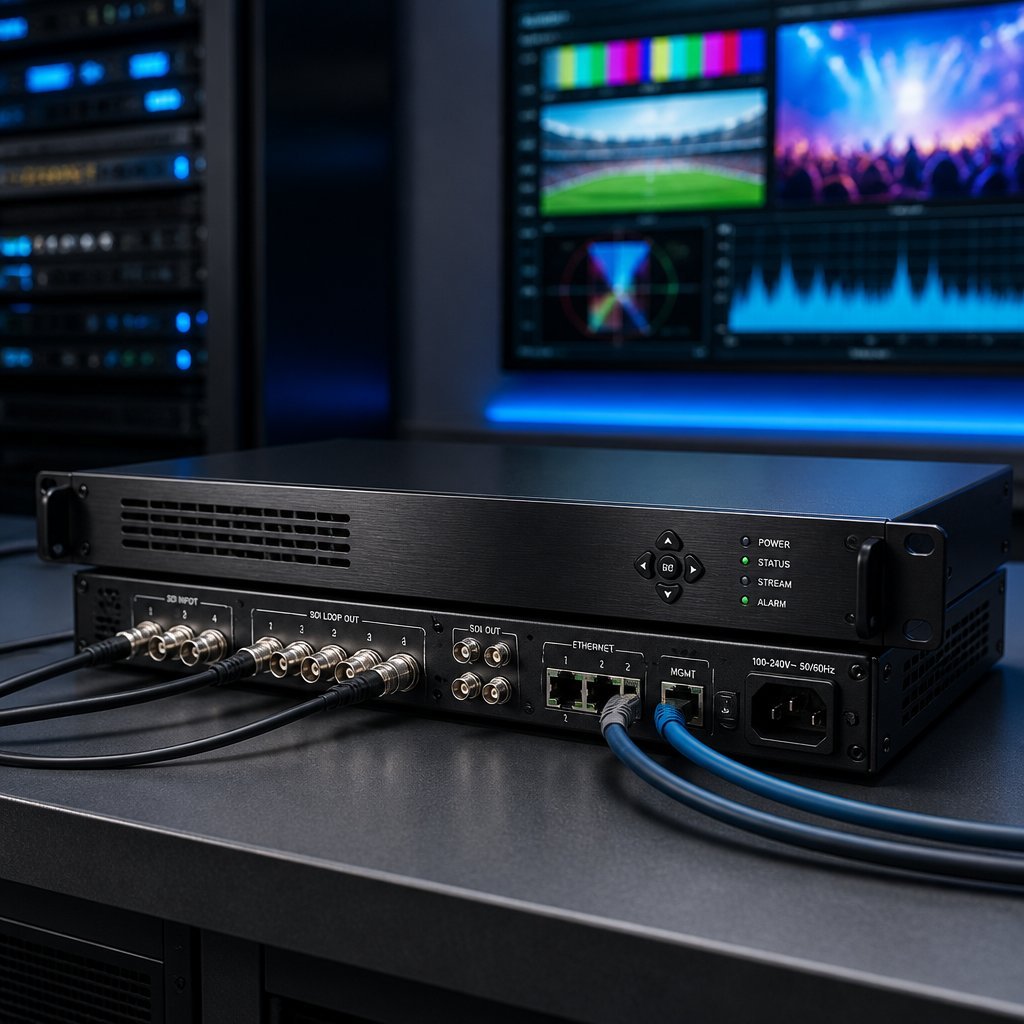
An SDI IPTV encoder is a hardware or software-based device that receives video through an SDI interface and converts it into a compressed IP stream.
The basic workflow is:
SDI video source → SDI IPTV encoder → video compression → IP network → streaming platform or IPTV distribution system
The source might be:
- Professional broadcast camera
- Production switcher
- Video mixer
- Replay system
- Studio output
- Satellite receiver with SDI output
- Digital signage system
- Live-event production system
- Medical or industrial video system
The encoder takes the incoming SDI signal and processes it for network distribution.
Unlike SDI, which is traditionally used to carry high-bandwidth digital video within professional production environments, IP streaming requires compression to make the video practical to transmit over conventional networks.
That is one of the main jobs performed by an encoder.
What Does SDI Stand For?
SDI stands for Serial Digital Interface.
It is a family of professional digital video interfaces standardized through SMPTE and widely used in television, broadcast, production, and live-event environments. SDI can carry digital video and may also transport embedded audio and ancillary data.
SDI has evolved over time to support increasing resolutions and frame rates.
Common versions include:
- SD-SDI
- HD-SDI
- 3G-SDI
- 6G-SDI
- 12G-SDI
- 24G-SDI
For example, HD-SDI is associated with SMPTE 292M, 3G-SDI with SMPTE 424M, 6G-SDI with SMPTE ST 2081, and 12G-SDI with SMPTE ST 2082.
The increasing numbers generally represent higher signal bandwidth.
Why Use an SDI IPTV Encoder?
Professional video production often already relies on SDI infrastructure.
Replacing an entire SDI workflow just to distribute video over IP can be expensive and unnecessary.
An SDI IPTV encoder provides a bridge between existing professional video equipment and modern IP distribution.
For example:
Camera → SDI → production switcher → SDI → encoder → IP network → viewers
This workflow allows a production team to retain professional SDI equipment while adding network-based streaming.
Major advantages include:
- Integration with professional broadcast equipment
- Reliable physical connections
- High-quality video capture
- Flexible IP distribution
- Support for live streaming
- Compatibility with various network architectures
- Potential support for low-latency protocols
- Centralized video distribution
How Does an SDI IPTV Encoder Work?
The encoding process involves several stages.
1. SDI Input
The encoder receives an SDI signal from a compatible source.
The input may be SD-SDI, HD-SDI, 3G-SDI, 6G-SDI, or 12G-SDI depending on the hardware.
2. Signal Detection
The encoder identifies parameters such as:
- Resolution
- Frame rate
- Video format
- Color characteristics
- Embedded audio
3. Video Processing
The device prepares the incoming signal for compression.
This can include scaling, frame processing, audio embedding, and other signal-management operations depending on the encoder.
4. Compression
The encoder compresses the video using a supported codec.
Common options include:
- H.264/AVC
- H.265/HEVC
Compression dramatically reduces the amount of data required to transmit video over IP.
5. Packetization
The encoded video and audio are packaged into a format suitable for the selected network protocol.
6. IP Transmission
The encoder sends the stream through Ethernet to the selected destination.
The destination might be:
- Streaming platform
- IPTV headend
- Media server
- CDN
- Local network
- Video management system
- Broadcast contribution system
SDI vs HDMI for IPTV Encoding
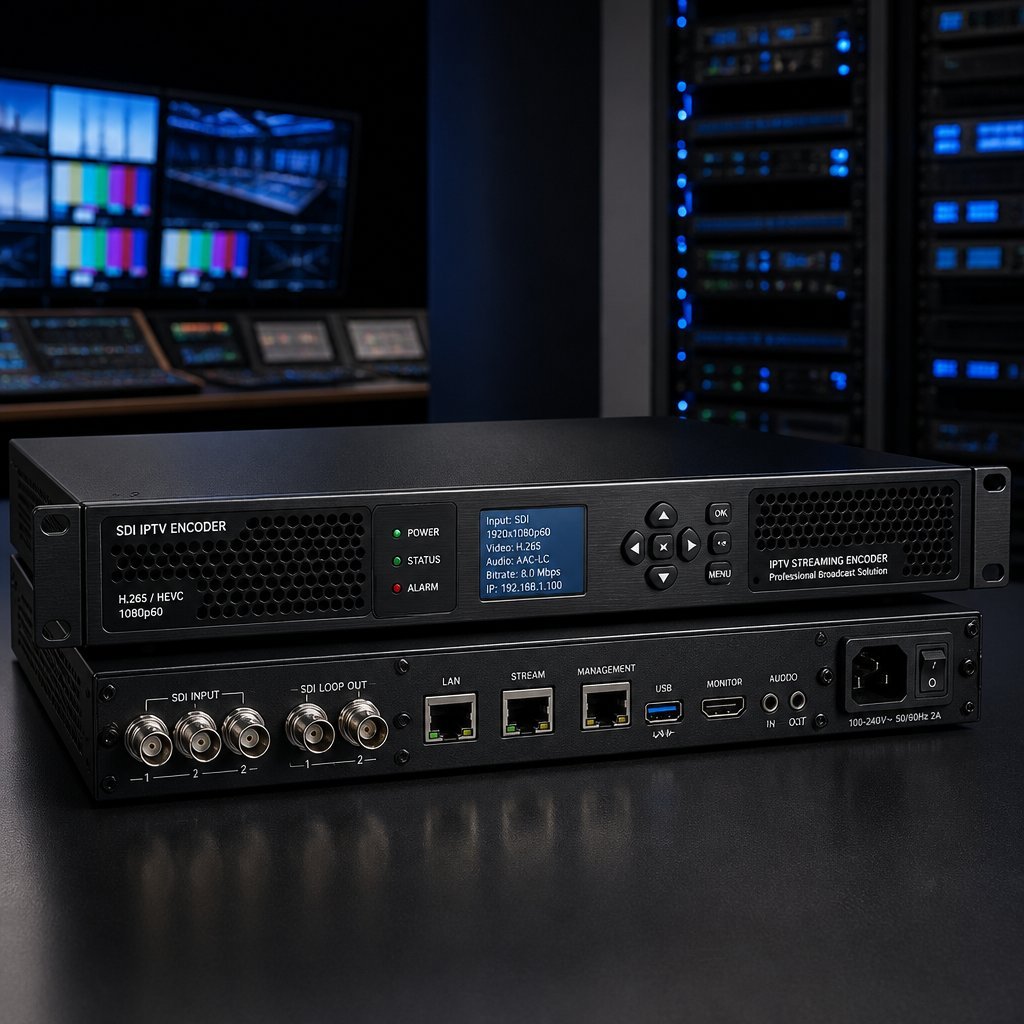
SDI and HDMI are both used as video interfaces, but they target different environments.
SDI
SDI is commonly associated with professional production.
Advantages can include:
- Professional broadcast integration
- BNC connectors
- Long-established workflows
- Support for high-bandwidth video formats
- Integration with cameras and switchers
HDMI
HDMI is extremely common in consumer and prosumer electronics.
It is frequently found on:
- Gaming consoles
- Consumer cameras
- Computers
- Blu-ray players
- Home theater equipment
- Consumer video devices
For professional broadcast systems, SDI can be more convenient because many production devices are designed around SDI workflows.
The right choice depends on your source equipment.
SDI Standards Explained
One of the most important considerations when purchasing an SDI IPTV encoder is understanding the SDI format produced by your source.
HD-SDI
HD-SDI is standardized under SMPTE 292M.
It supports professional HD formats such as 720p and 1080i, with a nominal data rate around 1.485 Gbps for the common standard.
It remains useful for HD production environments.
3G-SDI
3G-SDI is associated with SMPTE 424M and provides approximately 2.97 Gbps.
It is commonly used for higher-bandwidth HD formats, including 1080p workflows.
A 3G-SDI encoder can therefore be a strong choice for professional Full HD production.
6G-SDI
6G-SDI provides approximately 6 Gbps and can support certain 4K formats, including 2160p30.
If your production environment uses 4K at 30 frames per second, 6G-SDI may be relevant.
12G-SDI
12G-SDI provides approximately 12 Gbps and is associated with 4K workflows such as 2160p60.
For organizations planning 4K60 production, a 12G-SDI-compatible encoder can provide substantially more flexibility than an HD-only device.
24G-SDI
The SDI family has also evolved toward higher-bandwidth formats, including 24G-SDI for demanding applications. However, support varies substantially between professional equipment categories.
The important lesson is simple:
Choose an encoder that supports the exact SDI signal generated by your equipment.
SDI IPTV Encoder Resolution Support
Resolution is one of the first specifications buyers should examine.
Depending on the model, an encoder may support:
- 480i/576i
- 720p
- 1080i
- 1080p
- 2160p/4K
However, resolution alone does not tell you everything.
You should also check:
- Maximum frame rate
- Bit depth
- Chroma subsampling
- HDR support
- Codec support
- Maximum encoding bitrate
- Input signal standard
A device that supports 4K does not necessarily support every possible 4K format.
Why Frame Rate Matters
Frame rate determines how many frames are displayed each second.
Common production formats include:
- 24 fps
- 25 fps
- 29.97 fps
- 30 fps
- 50 fps
- 59.94 fps
- 60 fps
Sports and live-action production often benefit from higher frame rates because motion can appear smoother.
Your encoder must support the frame rate produced by your SDI source.
H.264 vs H.265 for SDI IPTV Encoding
Codec selection is another major decision.
H.264
H.264, also known as AVC, is one of the most widely supported video codecs.
Advantages include:
- Broad compatibility
- Mature technology
- Support across many streaming platforms
- Good quality-to-bitrate efficiency
For compatibility-focused streaming, H.264 remains an important option.
H.265
H.265, also called HEVC, can provide improved compression efficiency compared with H.264 under appropriate conditions.
This can be particularly useful when bandwidth is limited or when distributing higher-resolution video.
However, device and platform compatibility should be checked before selecting H.265.
Which Codec Should You Choose?
Choose H.264 when compatibility is your main priority.
Consider H.265 when:
- Your workflow supports HEVC
- You need improved compression efficiency
- Your destination supports HEVC
- You are distributing high-resolution video
The best choice depends on the entire workflow rather than the encoder alone.
What Is IPTV Encoding?
IPTV encoding is the process of converting a video source into a compressed digital stream suitable for delivery over an IP network.
For example:
Camera → SDI → Encoder → H.264 → IP network → IPTV server → viewer
The encoder reduces the raw or lightly processed video data into a manageable stream.
Without compression, professional video can require enormous bandwidth.
Encoding therefore makes large-scale IP distribution practical.
SDI IPTV Encoder Protocols
A professional encoder may support several streaming protocols.
The available options depend on the manufacturer and model.
RTMP
RTMP has historically been widely used for internet live streaming and remains supported by many platforms and workflows.
It is often used to send encoded video to streaming servers.
SRT
SRT, or Secure Reliable Transport, is designed for reliable video transport across unpredictable networks.
It can be particularly useful for contribution workflows where packet loss and network variation are concerns.
UDP
UDP-based transport is common in controlled IP video environments.
It can be useful for low-overhead distribution on managed networks.
RTP
RTP is another protocol used for real-time media transport.
It is commonly encountered in professional media and networked video workflows.
HLS
HLS is commonly used for HTTP-based streaming and broad client compatibility.
An encoder may either generate HLS directly or send content to a server that packages the incoming stream for HLS delivery.
SDI to IPTV Encoder Workflow
A typical professional workflow might look like this:
SDI camera → SDI switcher → SDI IPTV encoder → Ethernet → streaming server → CDN → viewer
For a local IPTV network, the workflow might instead be:
SDI source → encoder → LAN → IPTV headend → set-top boxes/TVs
For an internet streaming workflow:
SDI source → encoder → internet → streaming platform → viewers
The same basic encoder can therefore serve very different environments.
SDI IPTV Encoder for Live Streaming
Live streaming is one of the most common applications.
A production team can connect the program output of a switcher directly to the encoder.
The encoder then compresses and sends the video to the selected streaming destination.
This approach can be used for:
- Conferences
- Corporate events
- Religious services
- Sports
- Concerts
- Educational classes
- Webinars
- News
- Government meetings
- Product launches
The exact requirements depend on the event and distribution platform.
SDI IPTV Encoder for Broadcasting
Broadcast facilities can use encoders to distribute video across IP infrastructure.
Possible applications include:
- Contribution feeds
- Remote production
- Studio-to-studio transmission
- Distribution
- Monitoring
- OTT delivery
- IPTV headends
Professional environments often prioritize reliability, redundancy, monitoring, and predictable performance.
SDI IPTV Encoder for Sports
Sports production is particularly demanding.
A sports workflow may require:
- 1080p or 4K
- High frame rates
- Low latency
- Stable network transmission
- Reliable audio synchronization
- Redundant infrastructure
For example, a 12G-SDI workflow may be appropriate for certain 4K60 production environments.
However, the encoder must also support the required codec and transport protocol.
SDI IPTV Encoder for Churches
Churches and religious organizations increasingly use live video distribution to reach remote audiences.
An SDI encoder can connect a professional camera or production switcher to an online streaming platform.
A typical workflow might be:
Camera → SDI → switcher → encoder → internet → streaming platform
This provides a more professional workflow than relying exclusively on a basic webcam.
SDI IPTV Encoder for Education
Schools, universities, and training organizations can use SDI encoding for:
- Lectures
- Conferences
- Campus television
- Distance learning
- Special events
- Internal video distribution
An encoder can convert a professional camera or switcher output into a network stream that can be distributed to authorized viewers.
SDI IPTV Encoder for Corporate Video
Corporate organizations can use encoders for:
- Town halls
- Investor presentations
- Training
- Product demonstrations
- Internal communications
- Conferences
- Executive broadcasts
For internal distribution, multicast or managed IP infrastructure may sometimes be preferable to sending every stream individually over the network.
Multicast IPTV Encoding
Multicast is an important concept in larger IPTV networks.
Instead of sending a separate copy of a stream to every receiver, multicast allows compatible network infrastructure to distribute one stream to multiple subscribed endpoints.
This can reduce unnecessary duplicate traffic in controlled networks.
A simplified architecture is:
Encoder → multicast network → multiple authorized receivers
Multicast is particularly relevant for:
- Hotels
- Universities
- Hospitals
- Corporate campuses
- Stadiums
- Large facilities
However, the network must be correctly configured to support multicast traffic.
Unicast vs Multicast
Unicast
With unicast, the server or source sends an individual stream to each viewer or receiver.
This works well for many internet-based applications.
Multicast
With multicast, one stream can be distributed to multiple subscribed endpoints within a suitable network.
This can be highly efficient for large internal IPTV systems.
The right approach depends on the network architecture and number of viewers.
How to Set Up an SDI IPTV Encoder
A basic setup can follow these steps.
Step 1: Connect the SDI Source
Connect your camera, switcher, or other SDI source to the encoder’s SDI input using the appropriate cable.
Step 2: Connect Ethernet
Connect the encoder to your network using Ethernet.
For professional installations, a wired network connection is generally preferable.
Step 3: Configure the Video Input
Set or verify:
- Resolution
- Frame rate
- Input standard
- Audio configuration
Step 4: Select the Codec
Choose H.264 or H.265 if supported and appropriate for your destination.
Step 5: Set the Bitrate
Choose an encoding bitrate appropriate for the resolution, frame rate, codec, and available network bandwidth.
Higher bitrate can improve image quality, but it also increases network requirements.
Step 6: Configure the Protocol
Enter the required streaming destination and protocol parameters.
Step 7: Test the Stream
Monitor:
- Video quality
- Audio synchronization
- Latency
- Network stability
- CPU/encoder load
- Packet loss
Step 8: Monitor During the Event
For important broadcasts, do not simply configure the encoder and leave it unattended.
Monitor the stream throughout the event.
What Bitrate Should an SDI IPTV Encoder Use?
There is no universal bitrate that works for every stream.
Bitrate depends on:
- Resolution
- Frame rate
- Codec
- Content complexity
- Desired quality
- Network capacity
Fast-moving sports generally require more bitrate than a static lecture because the image changes more rapidly.
H.265 can potentially deliver comparable quality at a lower bitrate than H.264 under suitable encoding conditions, but actual results depend on encoder settings and content.
A practical strategy is to test several settings before a major production.
Low-Latency SDI IPTV Encoding
Latency is critical for applications where real-time interaction matters.
Examples include:
- Live sports
- Auctions
- Remote production
- Interactive events
- Video contribution
- Two-way communications
Total latency includes more than the encoder.
It can come from:
Camera → processing → encoder → network → server → CDN → player
Reducing encoder latency alone may not eliminate overall delay.
For low-latency workflows, evaluate the entire delivery chain.
What to Look for in a Professional SDI IPTV Encoder
When comparing products, consider the following specifications.
SDI Inputs
Determine whether you need:
- HD-SDI
- 3G-SDI
- 6G-SDI
- 12G-SDI
Number of Inputs
A single-input encoder may be sufficient for a basic workflow.
Multi-input devices can be useful for larger productions.
Loop-Through
SDI loop-through can allow the source signal to continue to another device.
This can be useful in production environments.
Codec Support
Check for:
- H.264
- H.265
Audio
Check whether the encoder supports embedded SDI audio and the required audio formats.
Network Interfaces
Look for appropriate Ethernet connectivity.
Some professional systems provide redundant networking or additional interfaces.
Protocol Support
Check for the protocols your workflow requires, such as:
- RTMP
- SRT
- RTP
- UDP
- HLS
Resolution
Verify the exact supported formats rather than simply looking for “4K” on the product page.
Management
Professional environments may benefit from:
- Web-based configuration
- Remote monitoring
- SNMP
- Firmware management
- Logging
- Alerts
Hardware Encoder vs Software Encoder
There are two broad approaches to video encoding.
Hardware Encoder
A hardware encoder is a dedicated device designed specifically for encoding video.
Advantages can include:
- Dedicated processing
- Predictable operation
- Compact installation
- Professional input interfaces
- Reduced dependence on a general-purpose computer
Software Encoder
Software encoding runs on a computer.
Examples of software-based workflows can use capture hardware to bring SDI into the computer and then encode it using software.
Advantages include:
- Flexibility
- Customization
- Lower initial hardware cost in some situations
- Integration with production software
The downside is that software encoding depends heavily on the computer’s CPU/GPU and operating environment.
For unattended professional streaming, a dedicated hardware encoder can offer a simpler appliance-style workflow.
SDI IPTV Encoder vs SDI Capture Card
These products are related but serve different purposes.
An SDI capture card typically brings an SDI signal into a computer.
An SDI IPTV encoder is designed to encode and distribute the signal as a network stream.
For example:
SDI camera → capture card → computer → software encoder → network
versus:
SDI camera → hardware encoder → network
A capture card may therefore be preferable when you need extensive computer-based production.
A hardware encoder may be preferable when you need dedicated streaming.
Common SDI IPTV Encoder Problems
No Video Signal
Possible causes include:
- Incorrect SDI standard
- Unsupported resolution
- Faulty cable
- Incorrect input selection
- Incompatible frame rate
Video but No Audio
Check:
- Embedded audio settings
- Audio mapping
- Input source
- Audio codec configuration
Buffering
Investigate:
- Network bandwidth
- Packet loss
- Encoder bitrate
- Server performance
- Wi-Fi use
Professional encoders should generally use wired Ethernet.
High Latency
Check:
- Encoder latency settings
- Protocol
- Server buffering
- CDN
- Player configuration
Poor Picture Quality
Possible causes include:
- Low bitrate
- Incorrect resolution
- Excessive compression
- Poor source quality
- Incorrect scaling
How to Troubleshoot an SDI IPTV Encoder
Use a systematic approach.
Check the SDI Source
Confirm that the camera or switcher produces a valid signal.
Check the Cable
Try a known-good SDI cable.
Verify Signal Compatibility
Confirm that the encoder supports the exact resolution and frame rate.
Check the Encoder Dashboard
Look for input status and network information.
Verify Bitrate
Make sure the selected bitrate is appropriate.
Test the Network
Check packet loss, bandwidth, and connectivity.
Test the Destination
Confirm that the streaming server or platform is accepting the selected protocol.
SDI IPTV Encoder Buying Guide
Before purchasing an encoder, create a technical requirements list.
1. What Is Your SDI Format?
Start with the source.
If your camera outputs 3G-SDI, there is little benefit in buying hardware that does not support it.
2. Do You Need 4K?
If you currently produce HD but expect to upgrade to 4K, future-proofing may be worth considering.
3. Which Codec?
Choose based on destination compatibility.
4. Which Protocol?
Your encoder must support the protocol required by your streaming server or platform.
5. What Is Your Network Capacity?
Your available bandwidth affects practical bitrate choices.
6. What Latency Is Acceptable?
Different applications have different latency requirements.
7. Do You Need Redundancy?
Mission-critical broadcasting may require redundant inputs, power, network connections, or encoding paths.
8. How Will You Manage the Device?
For professional installations, remote administration can be extremely useful.
SDI IPTV Encoder for 4K Streaming
4K encoding requires significantly more processing and bandwidth than ordinary HD streaming.
A 4K workflow should therefore be evaluated as a complete system.
You need:
- 4K-capable SDI source
- Appropriate SDI standard
- 4K-capable encoder
- Suitable codec
- Adequate bitrate
- Sufficient network capacity
- 4K-capable destination
- Compatible playback device
For example, a 12G-SDI workflow can support 4K60 in appropriate implementations, while 6G-SDI is commonly associated with 4K30.
SDI IPTV Encoder for Professional Broadcast
Professional broadcasters often need more than basic streaming.
Important capabilities may include:
- Multiple outputs
- Redundant power
- Redundant network connections
- Remote management
- Monitoring
- Failover
- Genlock compatibility
- Advanced audio handling
- Multiple simultaneous streams
The exact requirements depend on the broadcast architecture.
For a small organization, these features may be unnecessary. For a large broadcast operation, they can be essential.
SDI IPTV Encoder for Remote Production
Remote production has increased the importance of IP-based contribution.
An encoder can take an SDI production signal and transmit it to another location over a suitable network.
For example:
Venue → SDI encoder → IP network → production center
This can reduce the need to transport every production component physically.
However, remote production requires careful planning around latency, bandwidth, network reliability, synchronization, and security.
Security Considerations
Any encoder connected to a network should be secured appropriately.
Recommended practices include:
- Change default passwords
- Use strong administrator credentials
- Update firmware from trusted sources
- Restrict management access
- Separate management networks where appropriate
- Disable unnecessary services
- Use secure protocols when available
- Monitor network activity
Do not expose a professional encoder’s administration interface directly to the public internet unless the manufacturer’s security documentation and your network architecture explicitly support such an arrangement.
The Future of SDI IPTV Encoding
SDI remains important in professional video production while IP-based distribution continues to expand.
Rather than completely replacing one technology with another, many production environments use hybrid workflows.
For example:
Camera → SDI → switcher → SDI/IP gateway → IP infrastructure
This allows organizations to preserve existing production investments while gradually expanding IP capabilities.
Higher-resolution formats, more efficient codecs, low-latency transport, cloud production, and remote workflows are likely to continue shaping encoder development.
Frequently Asked Questions About SDI IPTV Encoders
What is an SDI IPTV encoder?
An SDI IPTV encoder converts an SDI video signal into a compressed IP stream that can be distributed through a local network, IPTV system, streaming server, or online platform.
What is the difference between SDI and IPTV?
SDI is a professional video interface used to transport digital video signals. IPTV refers to television or video distribution over IP networks. An encoder can connect an SDI production workflow to an IP distribution system.
Can an SDI encoder stream 4K?
Yes, depending on the encoder. The device must support the required SDI standard, resolution, frame rate, codec, and output protocol.
Can 3G-SDI handle 4K?
3G-SDI is primarily associated with higher-bandwidth HD formats such as 1080p60. 6G-SDI and 12G-SDI are more commonly used for single-link 4K workflows at higher frame rates.
What is the difference between 6G-SDI and 12G-SDI?
6G-SDI provides approximately 6 Gbps and is commonly associated with 4K30. 12G-SDI provides approximately 12 Gbps and is commonly associated with 4K60.
Is H.264 still good for IPTV encoding?
Yes. H.264 remains widely supported and can be a strong choice when broad compatibility is important.
Is H.265 better than H.264?
H.265 can provide greater compression efficiency in appropriate workflows, but H.264 generally has broader compatibility. The better choice depends on the encoder, destination, and playback environment.
What protocols can an SDI IPTV encoder use?
Depending on the model, encoders may support protocols such as RTMP, SRT, RTP, UDP, or HLS. Always check the manufacturer’s specifications for the exact model.
Can an SDI encoder be used for YouTube or other streaming platforms?
Some encoders can send compatible streams to major streaming platforms, but you must verify the platform’s current technical requirements and the encoder’s supported protocols.
Can SDI IPTV encoders be used for internal IPTV?
Yes. They can be used in controlled networks for applications such as hotels, schools, hospitals, corporate campuses, stadiums, and other facilities.
Does an SDI IPTV encoder need internet access?
Not necessarily. An encoder can distribute video over a local network without public internet access. Internet access is required when the destination is an internet-based streaming service or remote server.
Does SDI carry audio?
SDI can carry embedded audio and ancillary data when supported by the relevant workflow and equipment.
What cable does SDI use?
Professional SDI installations commonly use coaxial cabling with BNC connectors, although fiber-based SDI transport is also used for longer-distance applications.
Final Verdict: Is an SDI IPTV Encoder Worth It?
An SDI IPTV encoder can be an extremely useful tool for organizations that need to connect professional video production with IP-based distribution.
Its primary role is simple:
Take an SDI signal, compress it, and make it available through an IP network.
But choosing the right encoder requires careful attention to technical details.
Start with your SDI source. Determine whether you are working with HD-SDI, 3G-SDI, 6G-SDI, 12G-SDI, or another format. Then determine the resolution and frame rate you need.
Next, consider the encoding technology.
H.264 remains attractive for compatibility, while H.265 can be useful when compression efficiency is more important and the destination supports HEVC.
Then evaluate network protocols such as RTMP, SRT, UDP, RTP, or HLS according to your distribution architecture.
For professional installations, also consider monitoring, remote management, redundancy, audio support, and security.
The most important principle is to evaluate the entire video chain, not just the encoder.
A high-quality camera cannot compensate for an inappropriate encoder. A powerful encoder cannot compensate for inadequate network infrastructure. And a fast network cannot solve problems caused by an incompatible destination.
The best SDI IPTV encoder is therefore the one that fits your production format, streaming protocol, network architecture, resolution requirements, latency expectations, and operational needs.
Whether you are building a small live-streaming setup or a professional IPTV distribution system, understanding these components will help you make a more informed technology investment.