
Table of Contents
- What Is IPTVX?
- IPTVX Features Explained
- IPTVX Supported Devices
- How to Install IPTVX
- How to Set Up IPTVX
- IPTVX Premium: Is It Worth It?
- IPTVX Pros and Cons
- IPTVX vs Other Media Players
- Using IPTVX With Legally Authorized Sources
- Common IPTVX Problems and Fixes
- IPTVX Tips for Better Performance
- Is IPTVX Safe? Privacy and Legal Considerations
- Frequently Asked Questions
- Conclusion
What Is IPTVX? {#what-is-iptvx}
If you’ve spent any time researching streaming apps for Apple devices, you’ve probably run into IPTVX. It’s a media player app built specifically for the Apple ecosystem — iPhone, iPad, Apple TV, and Mac — designed to organize and play video streams using standard formats like M3U playlists and the Xtream Codes API.
It’s important to understand what IPTVX actually is before going further: it’s a player, not a content provider. IPTVX doesn’t supply channels, movies, or shows itself. Instead, it gives you an interface to load and organize streaming sources you already have legal access to — whether that’s a playlist from your own media server, a subscription TV service that offers M3U/Xtream Codes access, or content you’re personally authorized to stream. Think of it less like a cable package and more like a really polished remote control and menu system for video streams you provide.
This distinction matters. Plenty of confusion online treats “IPTV player” apps as if they’re inherently tied to pirated content, but the underlying technology (M3U playlists, Xtream Codes, EPG data) is standard and used by legitimate broadcasters, corporate video systems, and personal media setups every day. IPTVX itself is content-agnostic — its value lives in the interface and features, not in what you point it at.
Overview
IPTVX has built a reputation among Apple users for one specific reason: most IPTV-style player apps are designed with Android in mind first, then ported (often clumsily) to iOS and tvOS. IPTVX flips that. It was built natively for Apple’s design language from day one, which shows in how it handles gestures, remote navigation on Apple TV, and visual polish on Retina displays.
Purpose
The core purpose of IPTVX is to consolidate scattered streaming sources into one clean, searchable, and organized library. If you manage multiple playlists, need program guide (EPG) data layered over your content, or want features like favorites, parental controls, and multi-device sync, IPTVX aims to handle all of that in a single app rather than forcing you to juggle several tools.
Supported Platforms
IPTVX is available across:
- iPhone (iOS)
- iPad (iPadOS)
- Apple TV (tvOS)
- macOS (including Apple Silicon M-series Macs)
This cross-device availability is a major selling point, since many competing players are either iOS-only or feel like an afterthought on tvOS.
User Interface
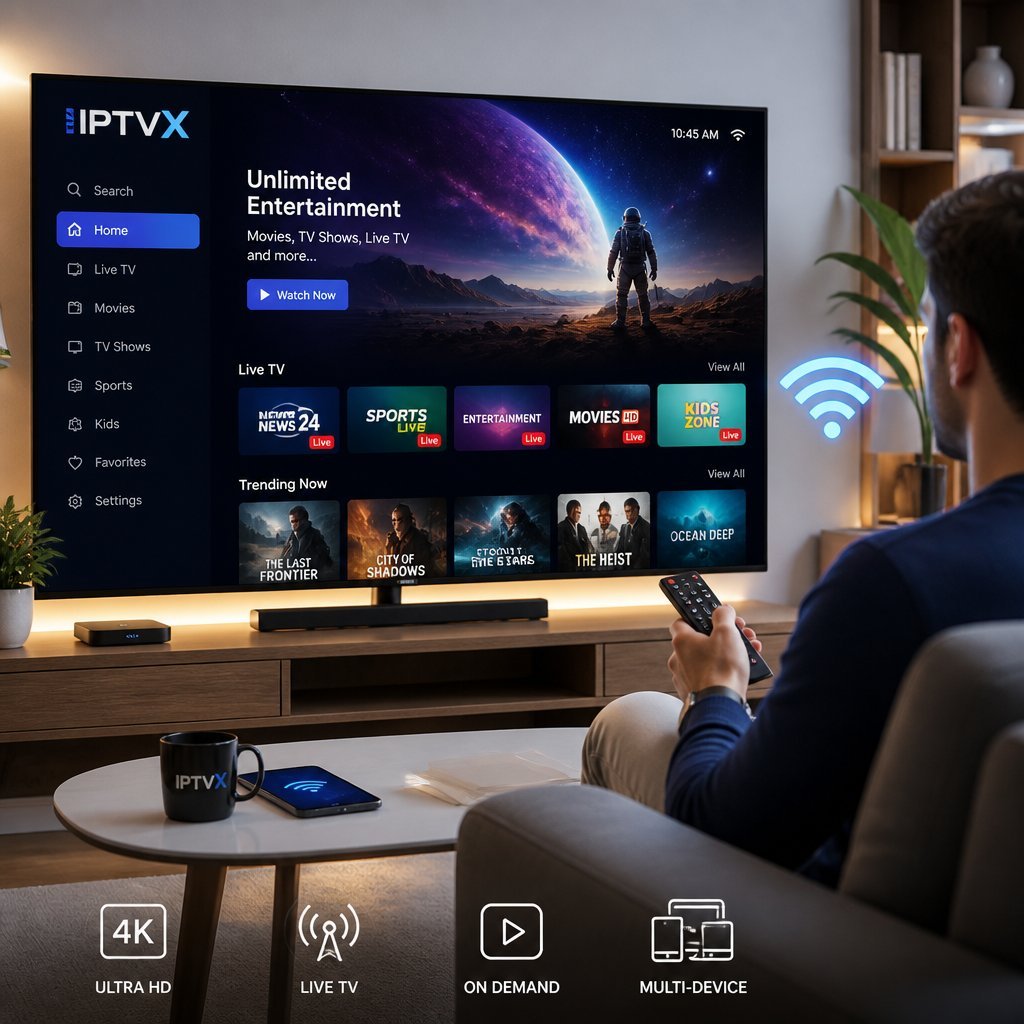
The interface leans into Apple’s own design conventions — large tap targets, smooth animations, and a focus-based navigation system on Apple TV that feels native rather than adapted. Content is organized into categories, with a persistent search bar, favorites shortcuts, and an EPG overlay that shows what’s “airing now” across your loaded channels.
IPTVX Features Explained {#iptvx-features-explained}
IPTVX packs in a long list of features aimed at power users and casual viewers alike.
Beautiful, Native Interface
Unlike many cross-platform IPTV apps that feel like a website wrapped in an app shell, IPTVX uses native Apple UI components. Menus respond instantly, transitions are smooth, and the whole experience feels consistent with other well-built Apple apps.
Multi-Screen Support
IPTVX supports Split View and Slide Over on iPad, letting you keep a stream running in a small window while working in another app — handy for keeping an eye on a program guide while multitasking.
EPG Integration
Electronic Program Guide (EPG) support means IPTVX can overlay schedule data — show titles, start/end times, and descriptions — directly onto your channel list, assuming your source provides EPG data in a compatible format (typically XMLTV).
Favorites and Organization
You can mark channels or streams as favorites, create custom groups, and rearrange your library so the content you use most is always front and center.
Sync Across Devices
IPTVX supports syncing your playlists, favorites, and settings across your iPhone, iPad, Apple TV, and Mac, so you don’t have to manually re-enter playlist URLs on every device.
Picture-in-Picture
On iPad and Mac, IPTVX supports Picture-in-Picture playback, letting you keep watching in a floating window while browsing other content or apps.
Parental Controls
A PIN-lock feature lets you restrict access to specific categories or the app itself, which is useful for households with shared devices.
Subtitle Support
IPTVX can render subtitle tracks where the source stream includes them, with options to adjust size and style.
External Player Compatibility
For users who prefer a different playback engine, IPTVX allows streams to be opened in external player apps like VLC or Infuse.
High-Quality Playback and Performance
IPTVX is optimized for hardware-accelerated decoding on Apple devices, which generally translates to smoother playback and lower battery drain compared to poorly optimized cross-platform apps.
IPTVX Supported Devices {#iptvx-supported-devices}
Apple TV
IPTVX on Apple TV is built around the Siri Remote and focus-engine navigation, making channel browsing feel like using any polished tvOS app.
iPhone
The iPhone version is optimized for one-handed use, with swipe gestures for switching channels and a compact EPG view.
iPad
Larger screen real estate on iPad enables side-by-side views, split-screen playback, and a more spacious grid layout for browsing.
macOS
The macOS version supports full keyboard shortcuts, resizable windows, and menu-bar quick access — useful for anyone who wants IPTVX running alongside other desktop work.
M-Series Macs
On Apple Silicon (M1/M2/M3/M4) Macs, IPTVX runs as a native Apple Silicon app rather than through Rosetta emulation, which means better battery efficiency and smoother video decoding compared to running an Intel-only build.
How to Install IPTVX {#how-to-install-iptvx}
Installation varies slightly by device, but the general process is straightforward.
On iPhone or iPad:
- Open the App Store.
- Search for “IPTVX.”
- Tap Get (or the price button, if applicable) and authenticate with Face ID, Touch ID, or your Apple ID password.
- Wait for the app to download and install.
- Open the app from your home screen.
On Apple TV:
- Navigate to the App Store on your Apple TV home screen.
- Search for “IPTVX” using Siri or the on-screen keyboard.
- Select the app and choose Get.
- Once installed, it will appear on your Apple TV home screen.
On macOS:
- Open the Mac App Store.
- Search “IPTVX.”
- Click Get and authenticate with your Apple ID.
- Once downloaded, launch it from Launchpad or the Applications folder.
After installation on any device, the app will prompt you to add your first playlist source — which brings us to setup.
How to Set Up IPTVX {#how-to-set-up-iptvx}
Setup revolves around connecting IPTVX to a streaming source you already have legitimate access to.
M3U Playlist Setup
- Open IPTVX and select Add Playlist.
- Choose M3U URL (or M3U File if loading a file locally).
- Paste in the playlist URL provided by your legitimate source, or select a local file.
- Name the playlist for easy identification.
- Tap Save, and IPTVX will parse and load the channel list.
Xtream Codes API Setup
If your authorized source uses the Xtream Codes API rather than a raw M3U link:
- Select Add Playlist > Xtream Codes.
- Enter the server URL, username, and password provided by your source.
- Tap Connect, and IPTVX will retrieve your channel and VOD library automatically.
EPG Setup
- Go to Settings > EPG.
- Enter the XMLTV URL for your program guide data (often provided alongside your playlist).
- Save and allow the app to sync — this can take a few minutes depending on the guide’s size.
Playlist Management
Once loaded, you can rename, reorder, hide, or delete playlists from the Manage Playlists menu. Multiple playlists can be combined into a single browsing view if desired.
Settings Optimization
Under Settings > Playback, you can adjust buffer size, default video quality, and hardware decoding options — useful for tuning performance on slower networks or older devices.
IPTVX Premium: Is It Worth It? {#iptvx-premium}
Free Version
The free tier of IPTVX typically includes core playback functionality, basic playlist support, and standard EPG integration, often with some feature limitations or ads.
Premium Version
IPTVX Premium usually unlocks:
- Ad-free playback
- Advanced EPG features (multi-day guide view, reminders)
- Cloud sync across devices
- Priority customer support
- Additional customization options (themes, layouts)
Features Comparison
| Feature | Free | Premium |
|---|---|---|
| Basic playback | Yes | Yes |
| Ads | Yes | No |
| Multi-device sync | Limited | Full |
| Advanced EPG | No | Yes |
| Parental controls | Basic | Advanced |
| Priority support | No | Yes |
Is Premium Worth It?
For casual users with a single playlist and one device, the free version is often sufficient. But if you regularly switch between iPhone, iPad, Apple TV, and Mac, or want an ad-free and more polished experience, Premium’s sync and interface perks tend to justify the cost for most regular users.
IPTVX Pros and Cons {#iptvx-pros-and-cons}
| Pros | Cons |
|---|---|
| Native, polished Apple design | Premium features locked behind paywall |
| Full support across iPhone, iPad, Apple TV, Mac | Requires a self-supplied content source |
| Strong EPG integration | EPG quality depends entirely on source data |
| Multi-device sync | Occasional bugs with large playlists |
| Picture-in-Picture support | Less customizable than some open-source players |
| Hardware-accelerated playback | No built-in content — setup required |
IPTVX vs Other Media Players {#iptvx-vs-other-media-players}
| Player | Interface | Apple Compatibility | Ease of Use | Pricing | Performance |
|---|---|---|---|---|---|
| IPTVX | Excellent, native | Full (iOS, tvOS, macOS) | Very easy | Free + Premium | Strong |
| TiviMate | Good, Android-first | Limited/unofficial on Apple | Moderate | Free + Premium | Strong on Android TV |
| IBO Player | Decent | Partial | Moderate | Free + Premium | Good |
| Smarters Player | Clean | Good | Easy | Free + Premium | Good |
| GSE Smart IPTV | Dated | Good | Moderate | Free + Premium | Variable |
| VLC | Minimal | Excellent (all platforms) | Easy for playback, manual for playlists | Free | Excellent |
| Sparkle TV | Modern | Good on Apple | Easy | Free + Premium | Good |
| Televizo | Functional | Fair | Moderate | Free + Premium | Fair |
IPTVX’s biggest edge over most competitors is that it was designed for Apple platforms rather than adapted to them, which shows in navigation, performance, and visual consistency. VLC remains the most universal and battle-tested option for raw playback, but lacks the organizational features (EPG, favorites, sync) that IPTVX offers out of the box.
Using IPTVX With Legally Authorized Streaming Sources {#legally-authorized-sources}
Because IPTVX is a player rather than a broadcaster, the legality and quality of your experience depends entirely on where your playlist or Xtream Codes credentials come from. Legitimate use cases include:
- Personal media servers (e.g., Plex, Jellyfin, or self-hosted setups) that expose an M3U-compatible stream of content you own or have rights to.
- Cable, satellite, or telecom providers that officially support M3U or Xtream Codes access as part of your existing subscription.
- Licensed streaming services that explicitly permit IPTV-style app access to their content.
- Corporate or educational IPTV systems, such as internal training channels or campus broadcast networks.
When evaluating any source before connecting it to IPTVX, it’s worth checking for signs of legitimacy: a real business with contactable support, clear terms of service, transparent pricing, and no indication that copyrighted broadcast content is being redistributed without authorization. If a source seems too cheap for the volume of premium content it claims to offer, that’s a red flag worth taking seriously — both from a legal standpoint and because such sources tend to be unreliable and short-lived.
Common IPTVX Problems and Fixes {#common-problems-and-fixes}
Playlist Not Loading
- Double-check the M3U URL or Xtream Codes credentials for typos.
- Confirm your source’s server is online and not undergoing maintenance.
- Try reloading the playlist after a few minutes.
Buffering
- Test your network speed; IPTV-style streaming typically needs a stable connection.
- Switch from Wi-Fi to a wired connection on Apple TV or Mac if possible.
- Lower the stream quality setting if your source offers multiple bitrates.
Login Issues
- Verify your username and password are entered exactly as provided.
- Check whether your source has a device-limit that’s already been reached.
EPG Not Updating
- Re-enter the XMLTV URL under EPG settings.
- Force a manual refresh from the EPG settings menu.
- Confirm your source is still providing updated guide data.
Playback Errors
- Try switching to an external player (e.g., VLC) via IPTVX’s external player option.
- Restart the app and, if needed, restart the device.
App Crashes
- Update IPTVX to the latest version via the App Store.
- Reduce the number of playlists loaded simultaneously.
- Reinstall the app if crashes persist after updating.
Slow Performance
- Clear cached data in Settings if the option is available.
- Reduce EPG guide range (e.g., 3 days instead of 7) to lighten memory load.
IPTVX Tips for Better Performance {#iptvx-tips}
- Keep playlists organized into logical groups rather than one giant unsorted list.
- Regularly update the app to get performance and bug fixes.
- Use a 5GHz Wi-Fi band or wired Ethernet on Apple TV for the most stable streaming.
- Enable hardware decoding in settings if your device supports it.
- Periodically re-check your playlist URL, since some sources rotate or expire links.
Is IPTVX Safe? Privacy and Legal Considerations {#is-iptvx-safe}
Privacy
IPTVX itself, as an app, generally only needs network access to fetch and play your streams. As with any app, it’s worth reviewing its App Store privacy label and requested permissions before installing, and being cautious about granting more access than the app actually needs.
Security
Because you’re entering credentials for third-party servers (in the case of Xtream Codes setups), it’s good practice to only use sources you trust, avoid reusing passwords across services, and keep the app updated to benefit from security patches.
VPN Considerations
Some users choose to run a VPN alongside streaming apps for general privacy reasons — masking network traffic from their ISP — rather than as a way to bypass licensing restrictions. If you use a VPN, choose a reputable provider and understand that a VPN does not change the legal status of the content you’re streaming.
Responsible IPTV Usage
The single most important safety and legal consideration is the source of your content, not the player itself. Using IPTVX with playlists or credentials from official, authorized providers keeps you squarely within normal, low-risk usage. Using it with sources that redistribute copyrighted broadcast content without authorization carries legal risk in many jurisdictions and is not something this guide recommends or endorses. This article isn’t legal advice — if you’re unsure about the legal status of a specific service, consult a qualified professional or your local consumer protection resources.
Frequently Asked Questions {#faqs}
Is IPTVX free? IPTVX offers a free version with core features, plus an optional Premium tier that unlocks additional functionality like ad-free playback and advanced sync.
Is IPTVX available on Android? IPTVX is built specifically for Apple platforms — iPhone, iPad, Apple TV, and Mac — and is not officially available on Android.
Does IPTVX support Xtream Codes? Yes, IPTVX supports the Xtream Codes API in addition to standard M3U playlists.
Can IPTVX play M3U playlists? Yes, M3U playlist support is one of the app’s core features.
Is IPTVX Premium worth it? For users who use the app across multiple Apple devices and want an ad-free, fully synced experience, Premium is generally considered worthwhile. Casual single-device users may find the free tier sufficient.
Does IPTVX support 4K? Playback quality, including 4K, depends on what your source stream provides — IPTVX itself supports high-resolution playback where the source and device hardware allow it.
Is IPTVX legal? The app itself is a legal media player. Legality depends entirely on the source of the content you connect it to; always use playlists and credentials from authorized, licensed sources.
Which services work with IPTVX? Any service that provides a standard M3U playlist or Xtream Codes API access can generally be connected, provided you have legitimate authorization to use it.
Can IPTVX sync across devices? Yes, particularly with Premium, IPTVX supports syncing playlists, favorites, and settings across your Apple devices.
How do I install IPTVX on Apple TV? Search for “IPTVX” in the Apple TV App Store, select it, and choose Get to download and install.
Does IPTVX support subtitles? Yes, subtitle rendering is supported when the source stream includes subtitle tracks.
Can I use an external player with IPTVX? Yes, IPTVX allows streams to be opened in external apps like VLC or Infuse.
Does IPTVX have parental controls? Yes, a PIN-based lock feature lets you restrict access to certain categories or the entire app.
What is EPG in IPTVX? EPG (Electronic Program Guide) overlays schedule information — show titles, times, descriptions — onto your channel list, provided your source supplies compatible XMLTV data.
Does IPTVX work on Apple Silicon Macs? Yes, IPTVX runs natively on M-series Macs for better performance and battery efficiency compared to emulated apps.
Why is my IPTVX playlist not loading? Most commonly this is due to an incorrect URL, expired credentials, or the source server being temporarily down.
Can I use multiple playlists in IPTVX? Yes, you can load and manage several playlists simultaneously, organizing them into separate or combined views.
Does IPTVX require an internet connection? Yes, since it streams content from a remote source rather than storing media locally.
Is there a trial for IPTVX Premium? Trial availability can change over time; check the app’s current offerings directly in the App Store listing or in-app purchase screen for up-to-date details.
How do I fix buffering in IPTVX? Check your network stability, switch to a wired connection if possible, and lower stream quality if your source supports adjustable bitrates.
Conclusion {#conclusion}
IPTVX stands out largely because it was built with Apple users in mind from the start, rather than adapted from an Android-first design. Its native interface, EPG integration, multi-device sync, and thoughtful features like Picture-in-Picture and parental controls make it one of the more polished player options available for iPhone, iPad, Apple TV, and Mac.
That said, it’s worth remembering that IPTVX is only as good — and only as legal — as the source you connect it to. The app provides the interface; you provide the content, and that should always come from a source you’re properly authorized to use. Whether you’re pairing it with a personal media server, an officially supported provider playlist, or a licensed streaming service, taking a few minutes to set things up properly, keep the app updated, and follow good account security habits will get you the smoothest and safest experience IPTVX has to offer.
If you’re evaluating IPTVX for the first time, start with the free version, connect it to a source you already trust, and see whether the interface and features fit how you actually watch before considering Premium.